
AI-Aided Custom Solutions for AEC Firms

Smarter Solutions. Faster Delivery. Backed by Real AEC Expertise.

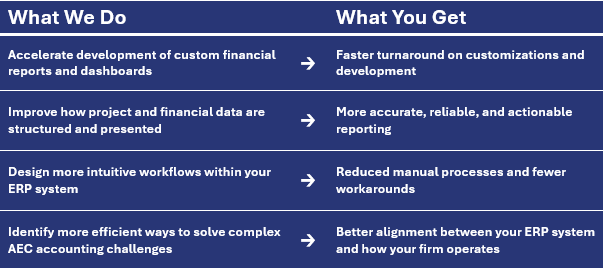
At OAS, we don’t sell AI tools—we use AI to build better solutions.
By combining deep AEC accounting experience with AI-aided development, we design and deliver custom reports, workflows, and system enhancements faster, more efficiently, and more aligned with how your firm actually operates.
As AEC firms grow, standard systems often fall short—requiring workarounds, manual processes, and disconnected data.
Our AI-aided approach helps eliminate those gaps faster and more effectively.
Unlike generic developers or third-party providers, our solutions are built by professionals who understand AEC financials, project workflows, and real-world challenges your team faces every day.
What AI-Aided Development Means for Your Firm
AI is a powerful tool—but only when guided by the right expertise.
At OAS, we use AI to enhance how we design and deliver custom ERP solutions for AEC firms—helping you get better results, faster, and with less friction.
Expert-Driven. AI-Enhanced.
Every solution is designed, tested, and validated by experienced AEC professionals—not just developers.
AI allows us to move faster, but it’s our expertise in AEC accounting and ERP systems that ensures your solution is accurate, practical, and built for real-world use.
The Result?
More insight. Better usability. Faster turnaround - and a system that supports how your firm runs.

Custom Tools
Custom Tools Built for AEC Firms by OAS
OAS develops purpose-built tools and enhancements that extend the power of your ERP system.
From custom invoices and analytic dashboards to automated reports and tailored workflows, our solutions are designed to bridge system gaps, save time, and improve accuracy.
Each tool is developed in-house by our expert consultants to meet the unique needs of AEC firms.
NOTE: All Pre-built OAS-developed tools are provided FREE; however, implementation, configuration, and training time is billed at established hourly rates.
Click Below To Explore Custom Tools For Your ERP:
Click Below To Request More Info About Our Tools:
UNANET AE - CUSTOM TOOLS
Our custom Unanet AE tools bridge functionality gaps, automate key processes, and deliver actionable insights
Enhance Your Unanet AE System
CUSTOM DASHBOARDS

Click Where You See This Icon To Try Our Interactive Demo And/Or See A Tour Of Key Features

This dashboard is designed to be an internal reference for your team, including Unanet tips and tricks, and standard recurring tasks lists that you can adapt and export.

This dashboard provides an overview of project financials with a focus on labor costs.

This dashboard includes components to facilitate expense sheet import, assigning expense codes, and reminding employees to submit expenses.
This custom solution can be programmed to recognize revenue using any method your firm requires, including methods that differ from the system methods of Revenue = Billed or Revenue = Billed + WIP.
(This customization requires coordination with Unanet to implement.)

This dashboard provides a system of purchasing tools that enhances the built-in purchase order system. Each dashboard is customizable to your specific purchase order workflow and approvals, and allows you to manage purchase orders in parts without splitting the incoming item.
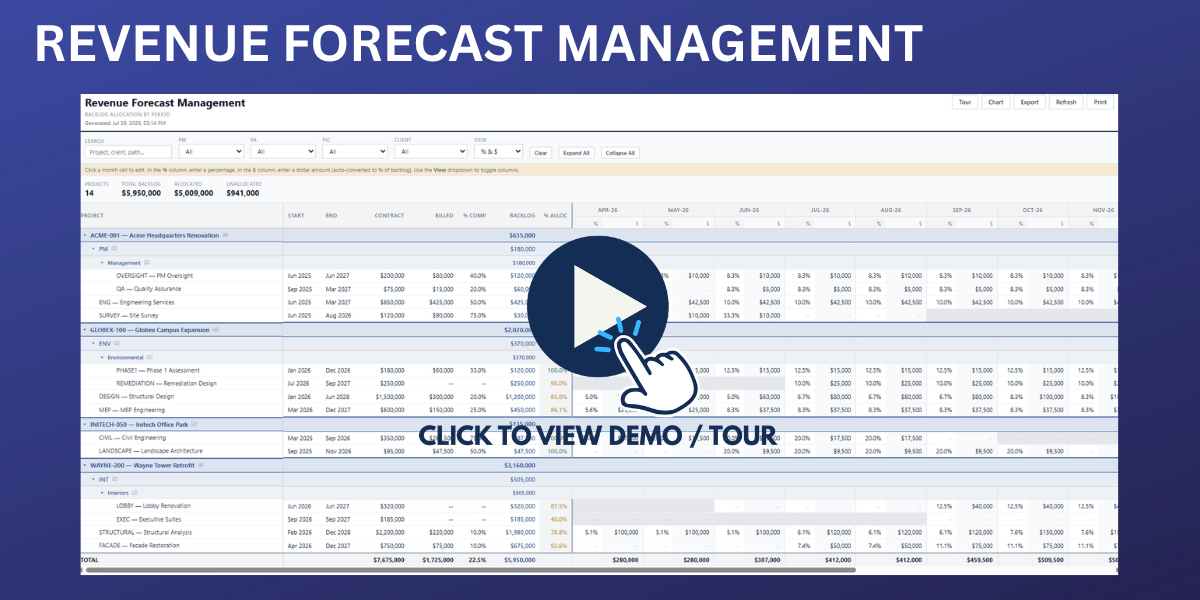
The Revenue Forecast Management Dashboard gives firms a centralized view of projected revenue across their entire project portfolio. It helps leadership proactively manage financial performance by comparing forecasted revenue to targets, identifying potential shortfalls or overages, and understanding when revenue is expected to be recognized.

This is a platform that can be adjusted to any needs for capturing and displaying an audit log of changes made to various data. This tool can also be used to track the time certain actions take in the system, for example, dashboard loading times.
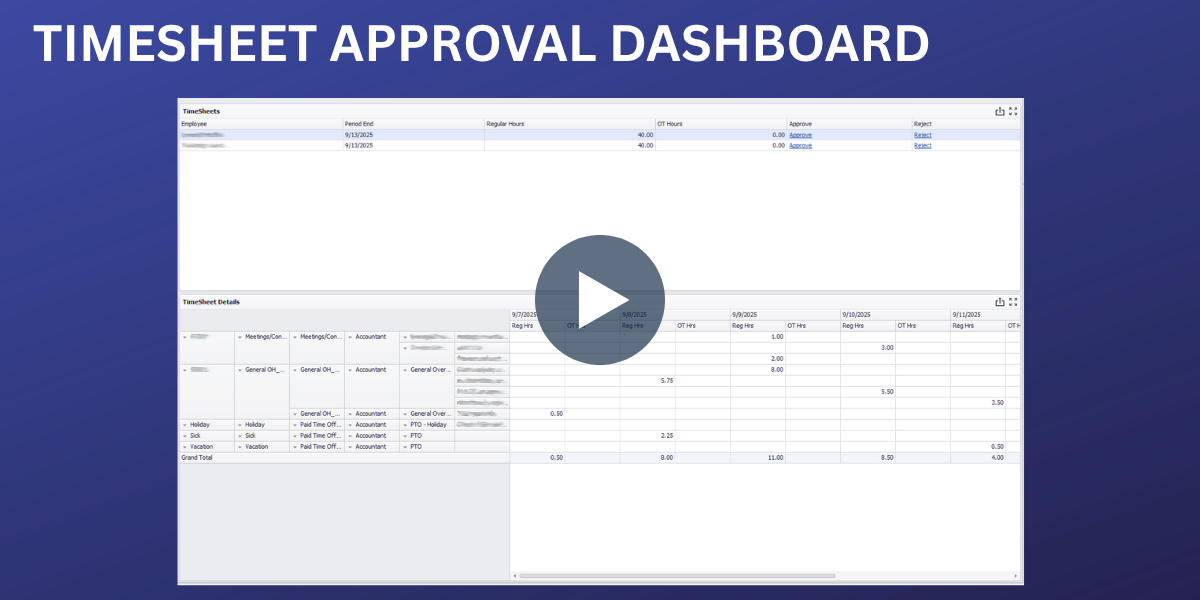
This dashboard mimics the approval applet, but allows users to view the information more similarly to the timesheet view. It also displays both regular and OT hours separately.

This dashboard lets accounting staff review supervisor-approved expense reports, make minor edits, and approve/post them to reimbursables. It also allows selection of payable and clearing accounts for multiple org units.

This dashboard enables users to quickly review accounts receivable, including the most recent invoice comment.
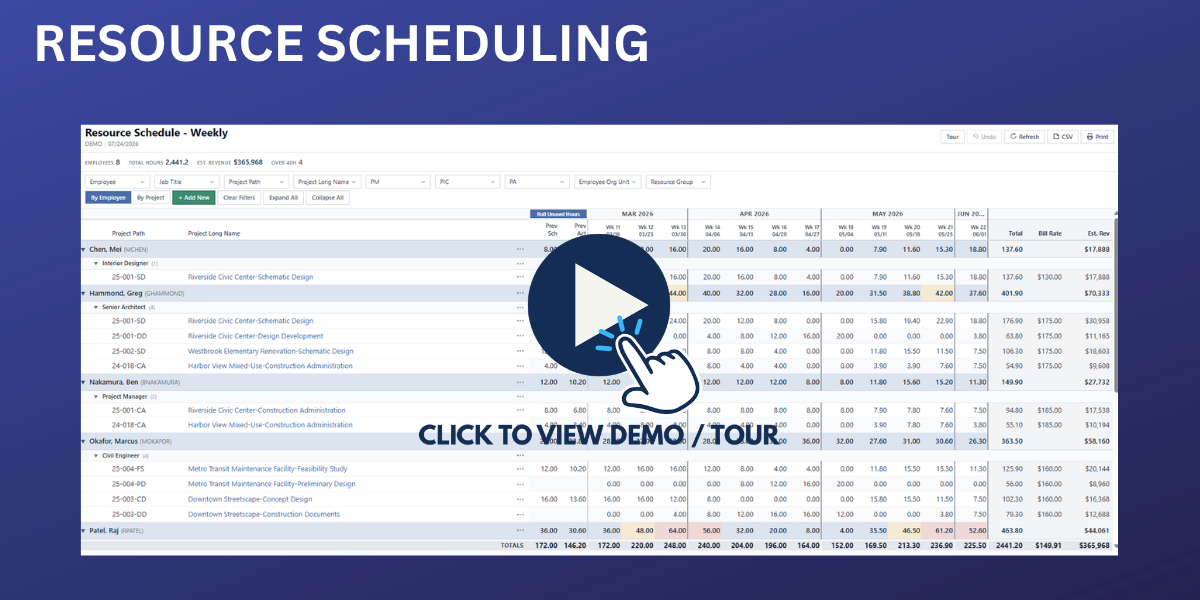
The Custom Resource Schedule Dashboard provides a flexible, easy-to-use view of resource planning and project staffing. View schedules by employee or project, apply key filters, explore project details, and easily manage workload and resource assignments. It also includes options to add items, refresh data, export to CSV, and print schedules.

This dashboard displays all unposted expense sheets and includes the assigned GL code.
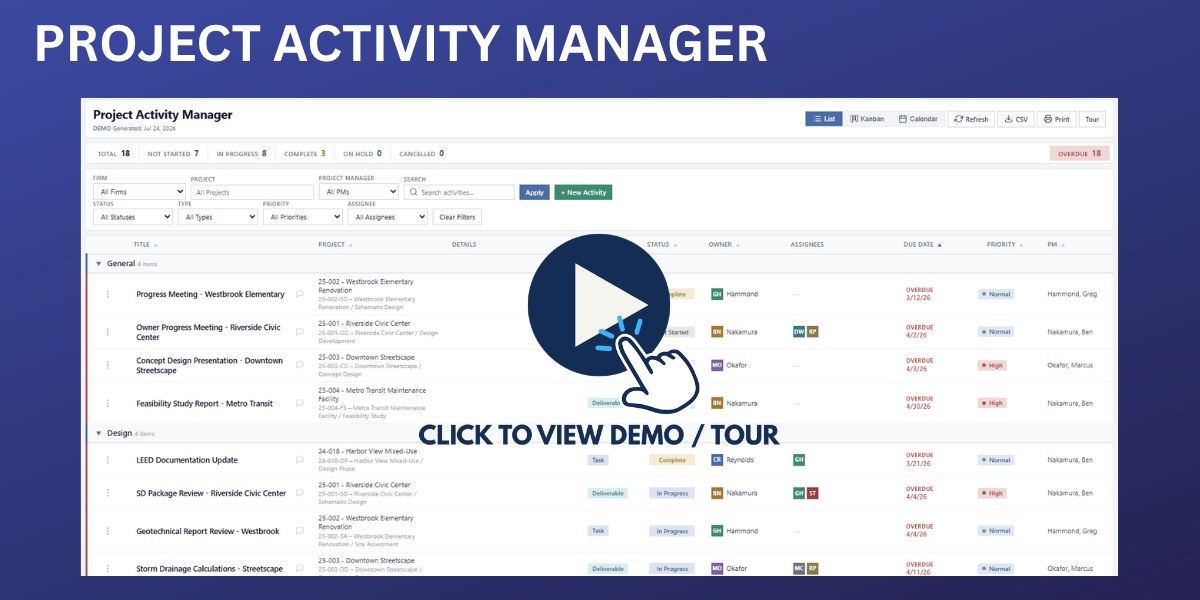
This dashboard allows you to clearly view and manipulate activity details either in a sortable Spreadsheet view, Kanban drag-and-drop columns view, or in a Calendar view that plots activities by due date. All the same data with the same editing capabilities.

This dashboard is designed to track unpaid accounts payable, even if they are not linked to an invoice. It displays the last sales journal, including the last received date.
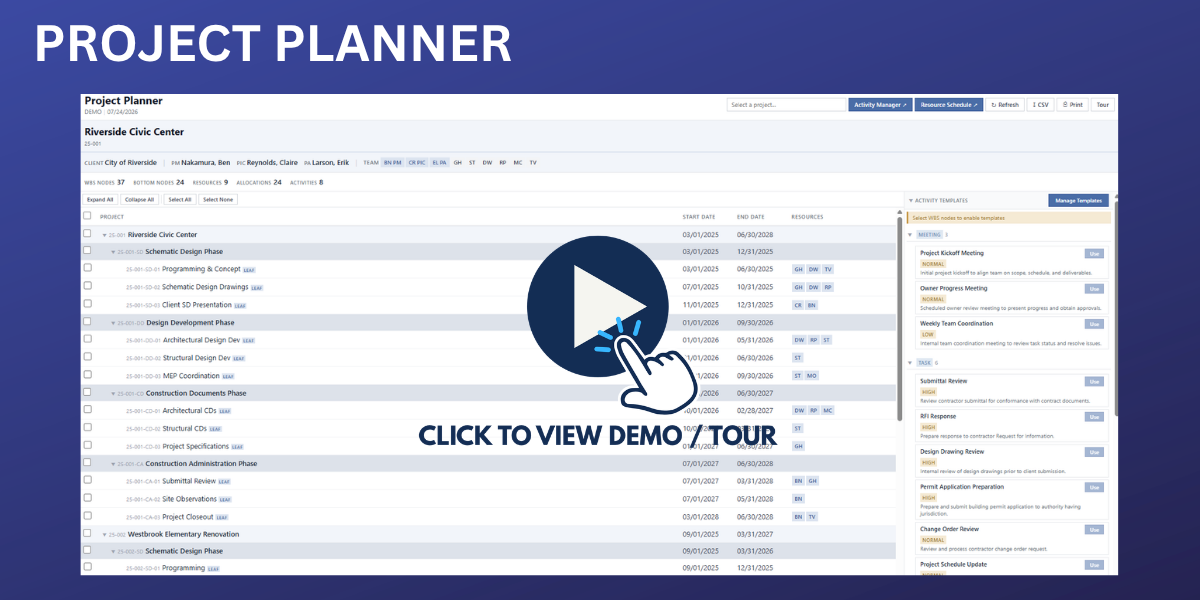
The Project Planner Dashboard simplifies project planning by allowing users to manage projects, resources, and activities from one centralized location. Easily assign resources, organize project tasks, and seamlessly integrate with the Activity Manager and Resource Schedule dashboards for a connected planning and resource management workflow.
OTHER CUSTOM TOOLS
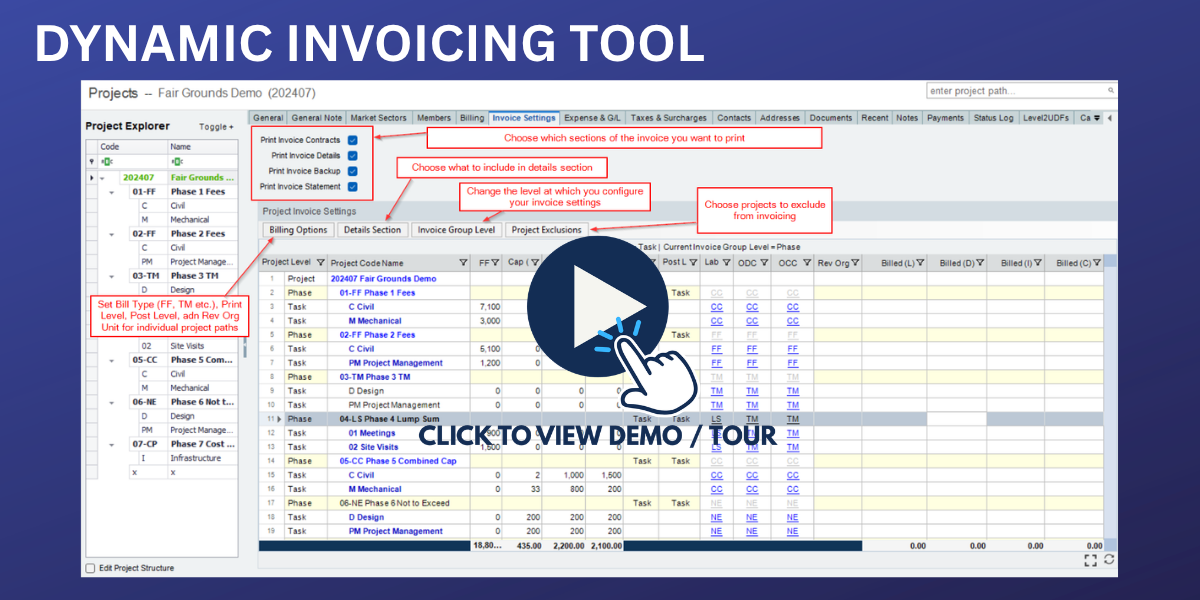
In Unanet AE, different invoice templates are needed based on project structure (levels, contract/revenue/print levels, org units), which limits flexibility and increases complexity. This invoicing solution allows for one invoice template to be used on any project, regardless of the billing type (TM, NTE, FF, etc.), contract level, print level, and post level.

This tool is an additional tab in the Projects applet. It can be utilized to eliminate the repetitive right clicks done to adjust Contract Levels/Caps, Invoice Filters, Rate Schedules, etc.

This tool is a Project applet tab that can add the Project Figures information anywhere in the system as a pop-up window. It can also be a traditional or analytic dashboard.
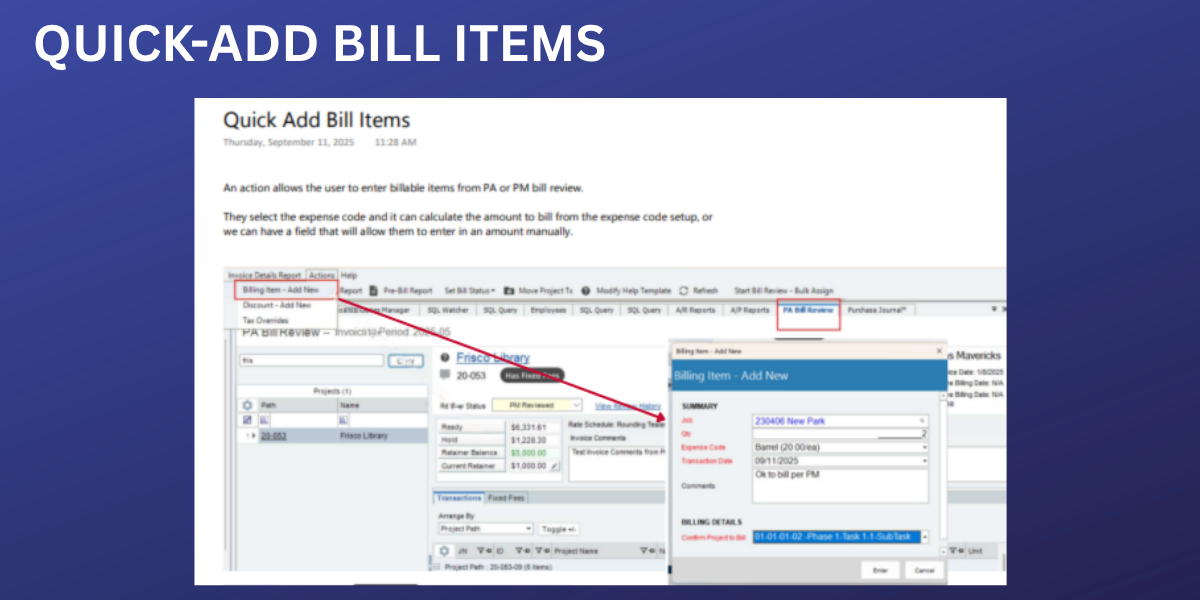
This customization allows users to select expense code items to add to a project for billing without access to Purchase Journals.

This customization allows users to enter a discount amount which can be tracked as “Other Revenue” with a custom GL Account and be reflected at the bottom of the invoice. Users can apply a flat or percentage discount set up as a tax, allowing it to be tracked outside ODC/CDC and shown in the invoice’s “Tax” category.

This action allows users to dictate which org each phase or task of a project should post revenue to, and automatically reallocates during invoice posting. Users can assign specific project paths to their own revenue org, with a script automatically moving sales transactions to the correct org ID based on project path and revenue type.


With this customization, you can set specific benefits to accrue on a schedule automatically instead of requiring the user to click “Run Accruals” on a schedule.
This tab is added to the Project applet and allows you to allocate revenue to different org units/profit centers.
This tool automatically creates new timesheets for active employees based on your schedule.